


MONDAY-FRIDAY, 9 AM–5 PM
Fill out the form and we’ll get back to you shortly.
.svg)

.png)
If you already have a prepared report, you can submit it yourself via this link:
https://ekrs.ms.gov.pl/rdf/rd/
1. Log in using your s24 credentials.
2. Select Przygotowanie i składanie zgłoszeń.
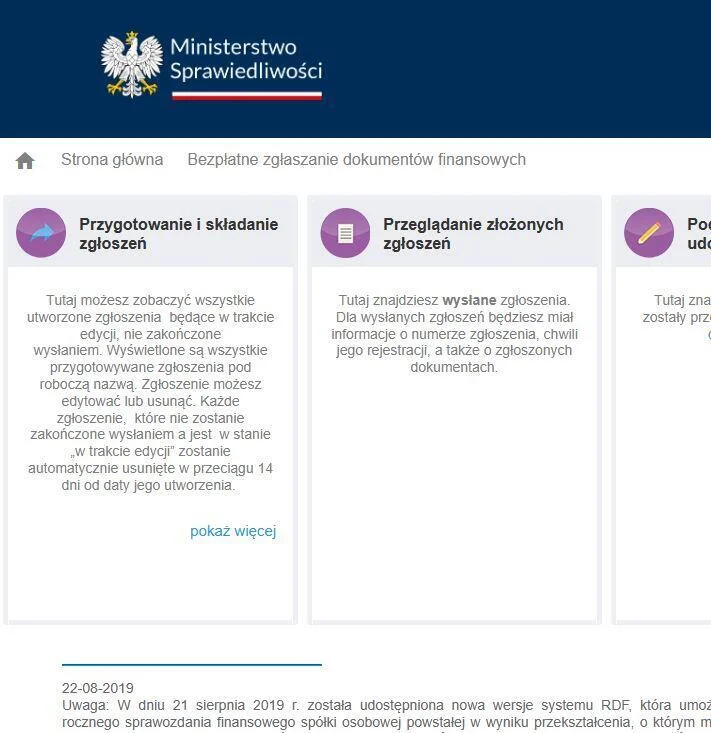
3. Dodaj zgłoszenie.
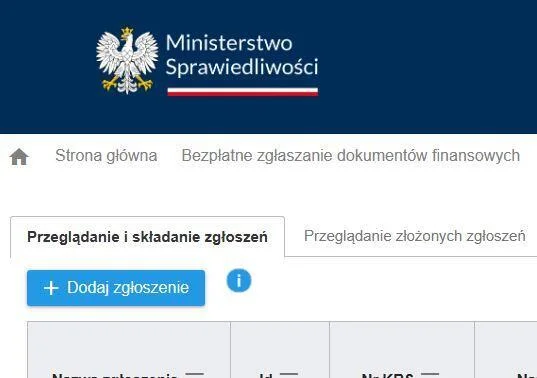
4. Enter your company's KRS number. Make sure the correct company is found.

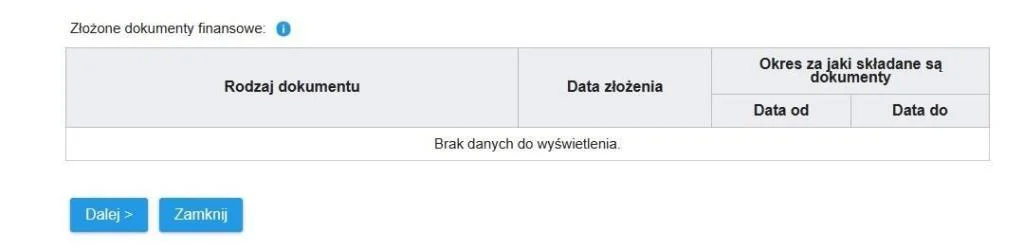
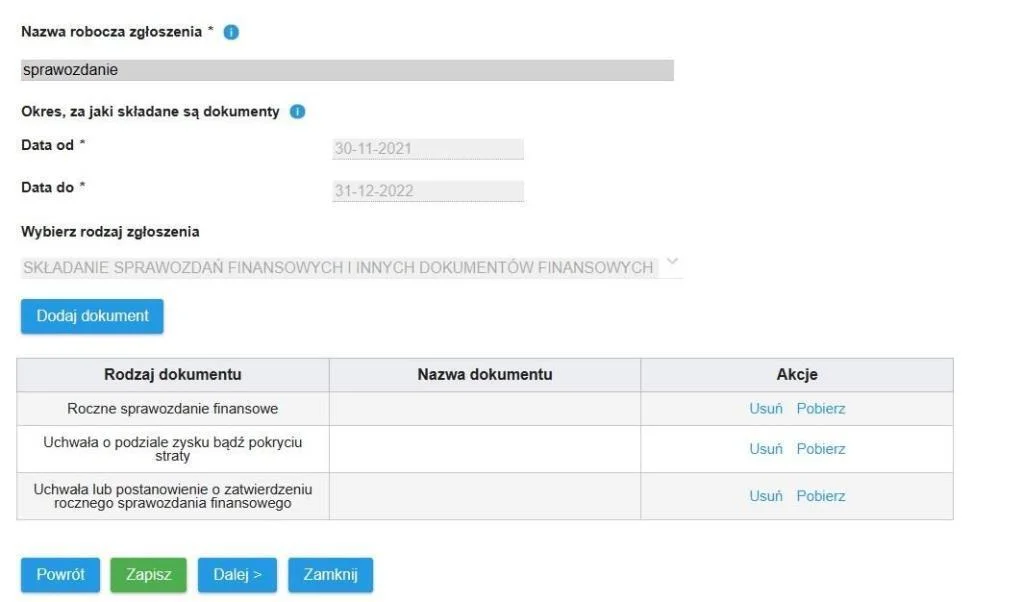
5. Enter the dates for which the report is being submitted.
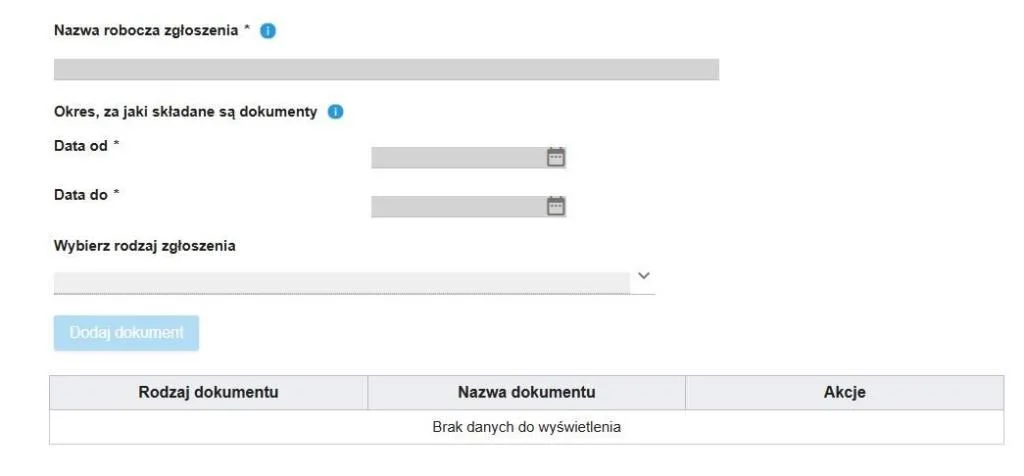
6. Enter any working title, for example, "sprawozdanie".
7. Select the rodzaj zgłoszenia as shown in the screenshot below.
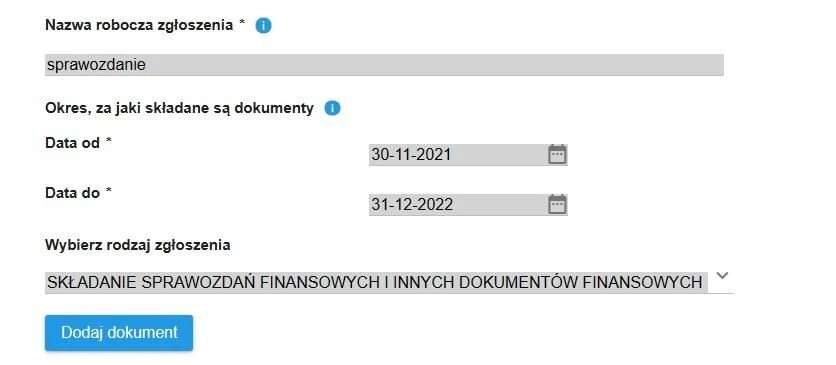
8. Click the Dodaj dokument button.
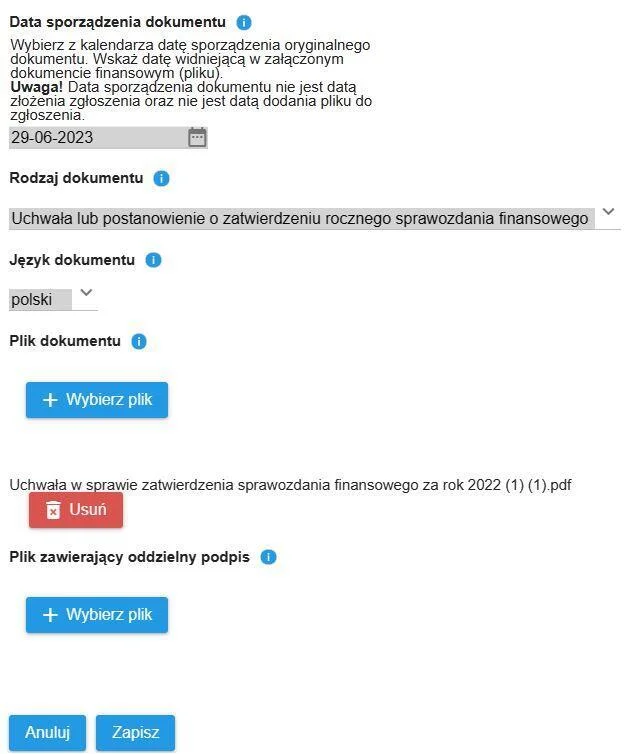
9. Set the document date to the date the sprawozdanie was created.
10. Upload the signed XML financial statement file by clicking the Wybierz plik button.
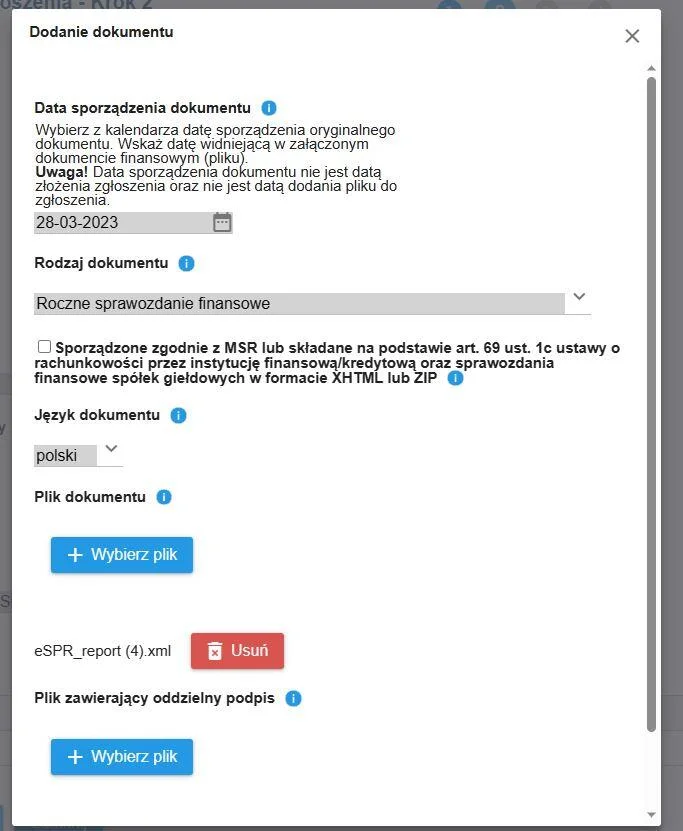
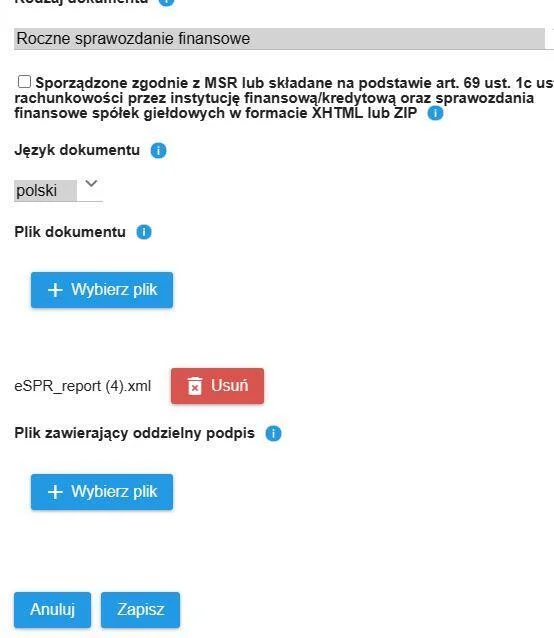
11. Click Zapisz.
12. Similarly, add two more documents: uchwała o podziale zysku bądź pokryciu straty and uchwała o zatwierdzeniu rocznego sprawozdania finansowego.
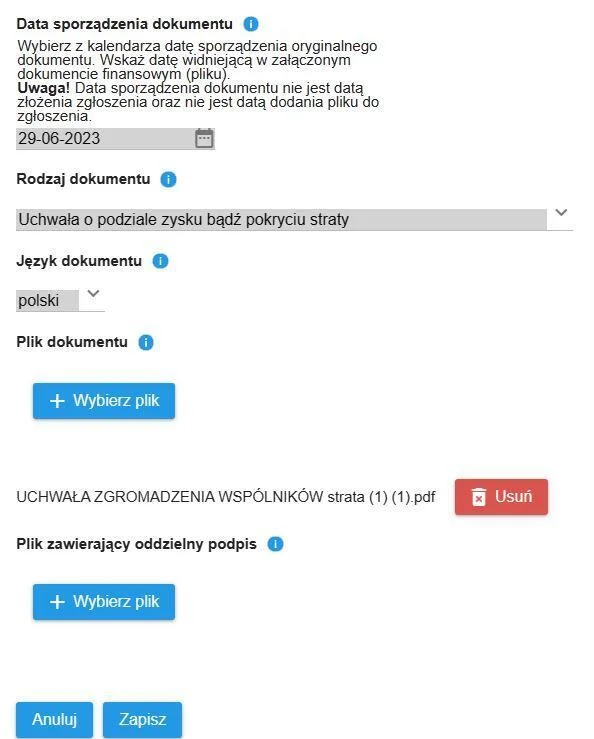
It should look like the screenshot below:
13. Click Dalej and Weryfikuj zgłoszenie.

14. After that, you need to sign it. The signing must be done by the company representatives.
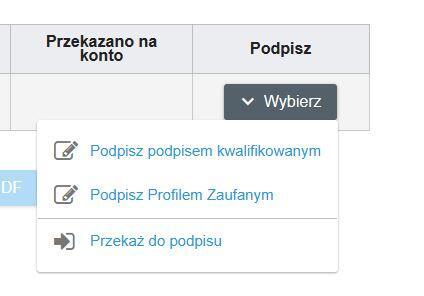
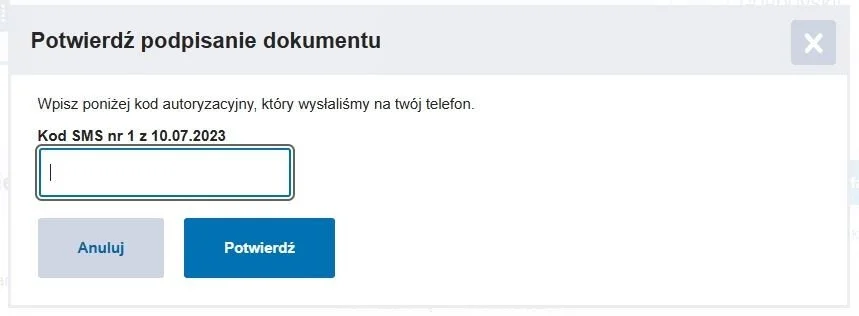
15. Once signed, be sure to click the Wyślij zgłoszenie do repozytorium DF button.

16. If successful, you will receive a message like the one in the screenshot below.

You did it!
Meet Our Immigration Experts
.jpg)
Andrey
Board Member | Polish Ancestry & Legalization Specialist

Get in touch with our expert
+48 (664) 536 954


Get Expert Help With Your Relocation
Our expert will review your case, explain the requirements, provide a cost estimate, and recommend the best way forward.
.avif)









































Get Expert Help With Your Relocation
Fill out the form and we’ll get back to you shortly.
or message
us directly



.svg)
.svg)
.svg)
.svg)
.svg)
.svg)
